Fully local. Fully yours.
Plan in your browser, save on your computer, and keep working offline.
A free, fully local Project Management app for your work and timelines.
Spaces hold Folders and Projects. Keep each project’s tasks and notes in one place.
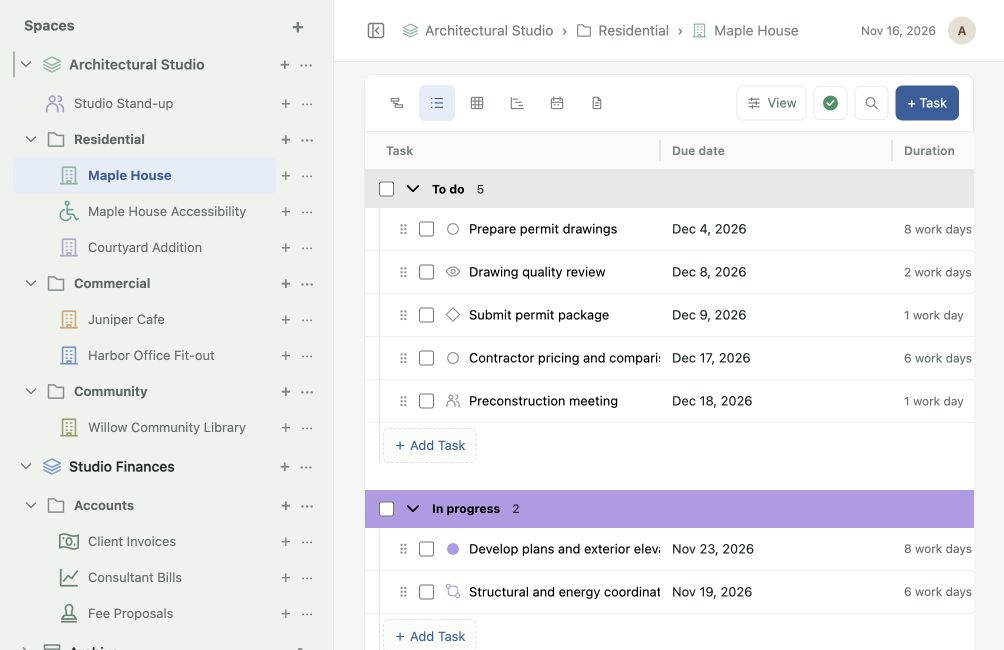
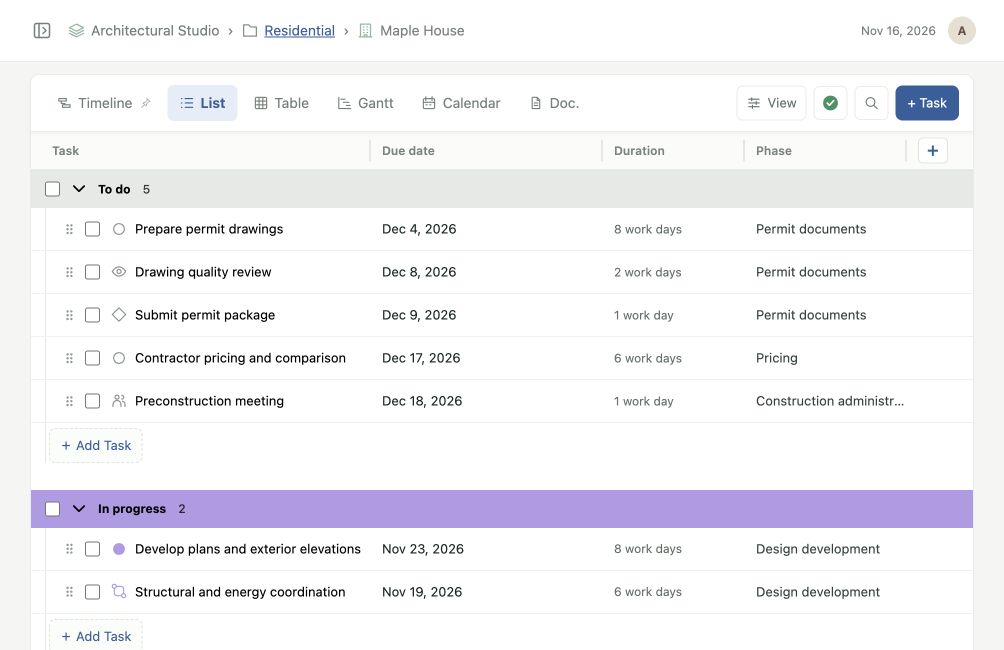
Organize tasks into lists, group them by status, and keep dates and details in view.
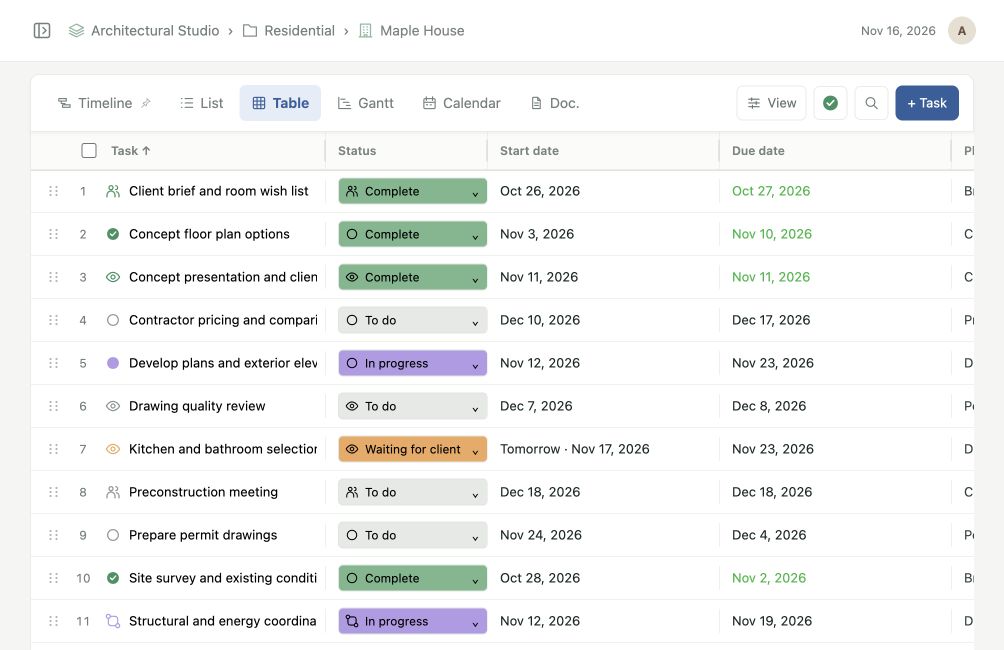
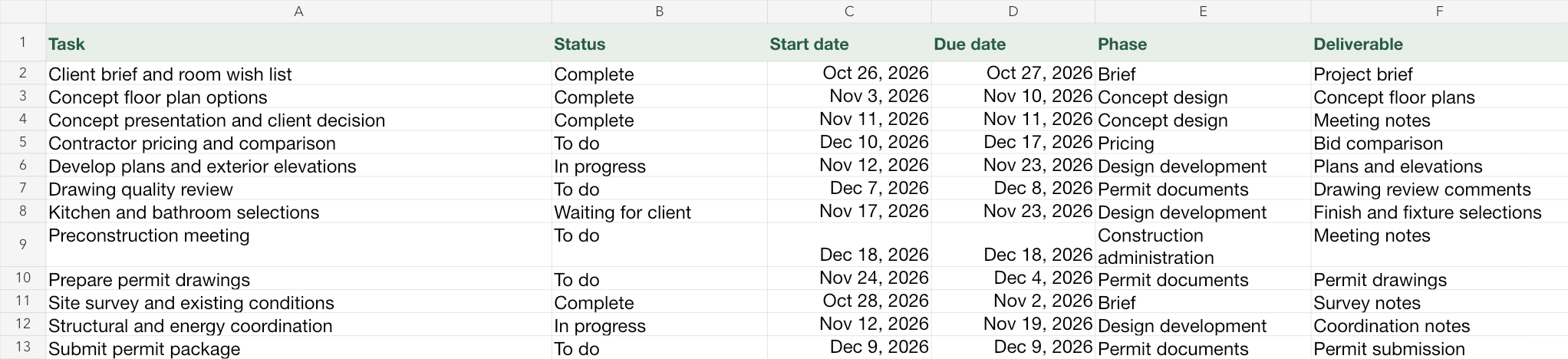
Compare task details, dates, and custom fields in rows and columns.
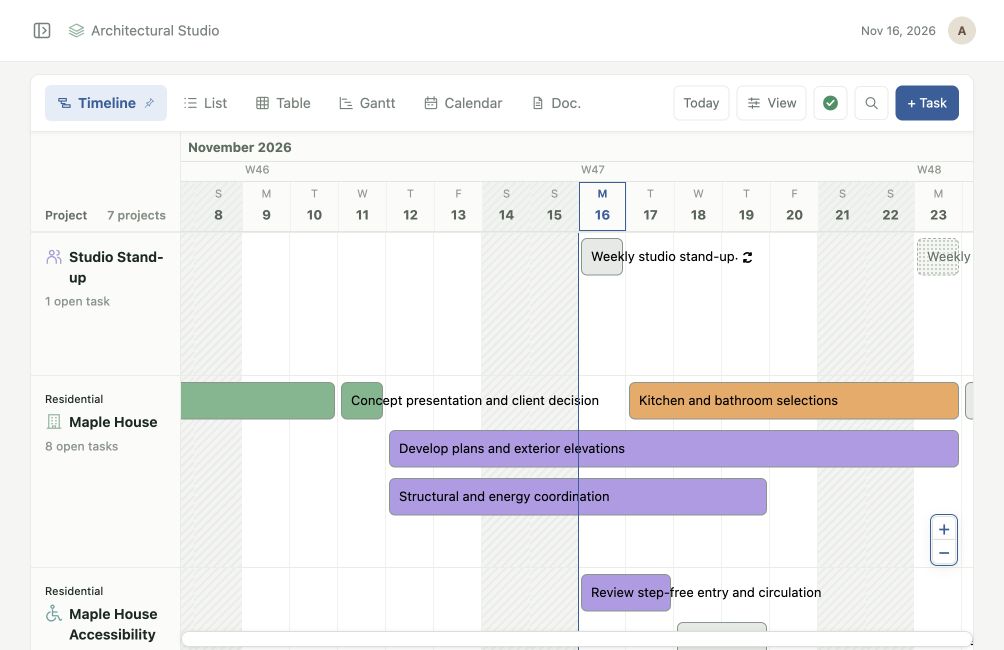
Timeline puts your projects on the same schedule. See what overlaps, what is happening now, and what comes next.
A Gantt chart shows task durations and dependencies, so you can see what must happen first and how a delay affects the schedule.
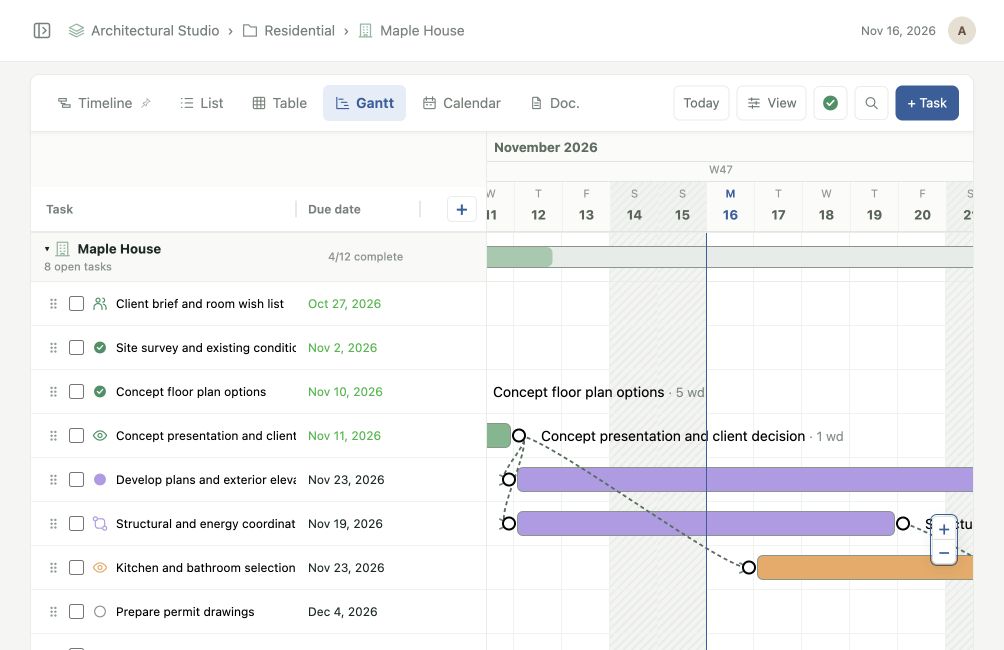
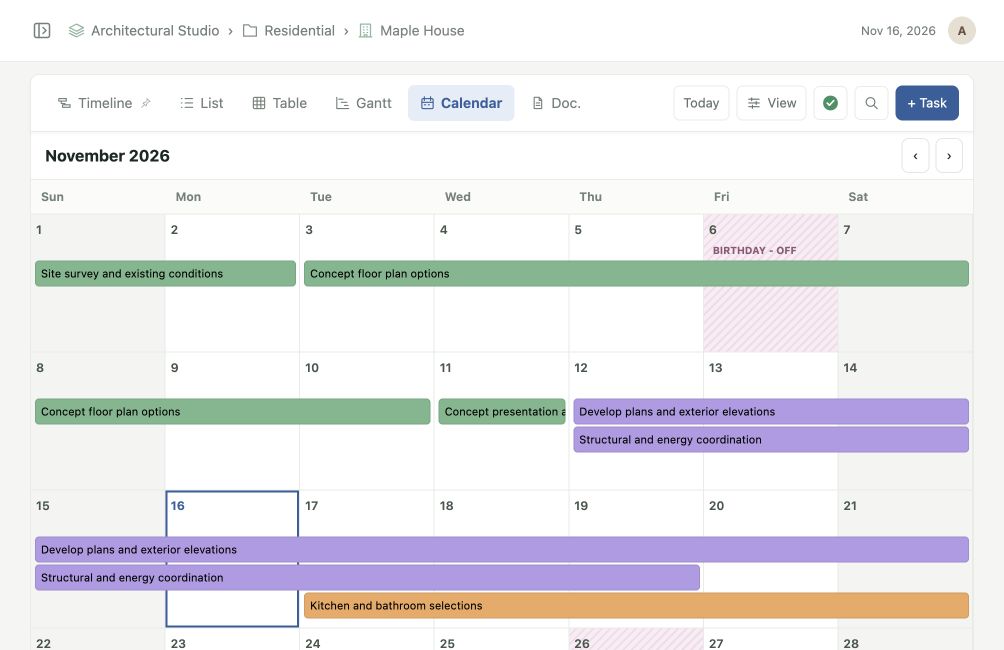
See tasks and project schedules on a calendar. Tasks stretch across their scheduled dates, so you can see what is coming up.
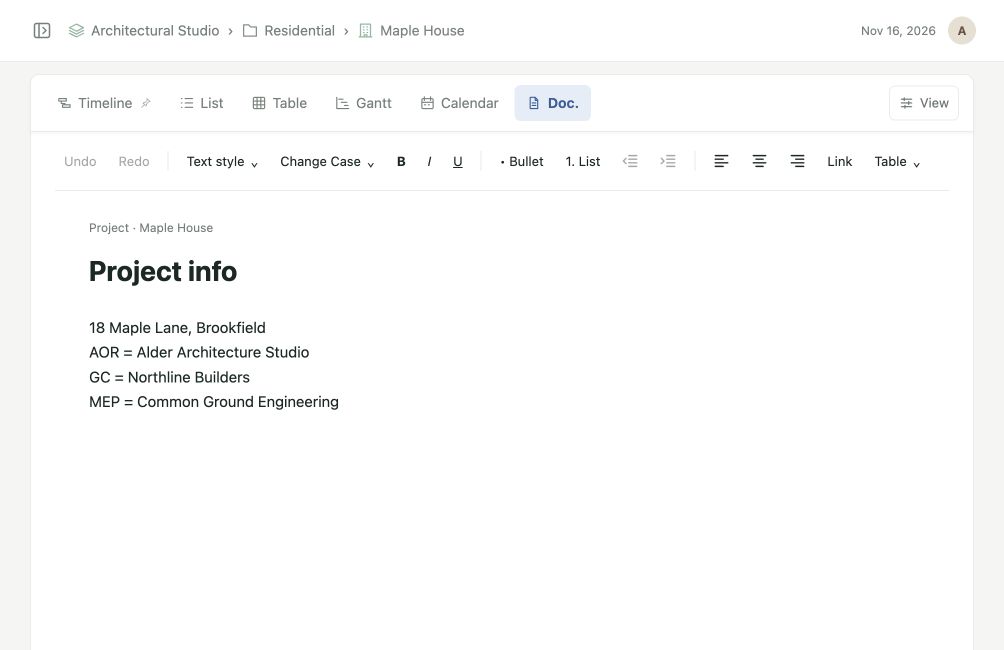
Write briefs, decisions, and reference notes alongside the Spaces, Folders, or Projects they belong to.
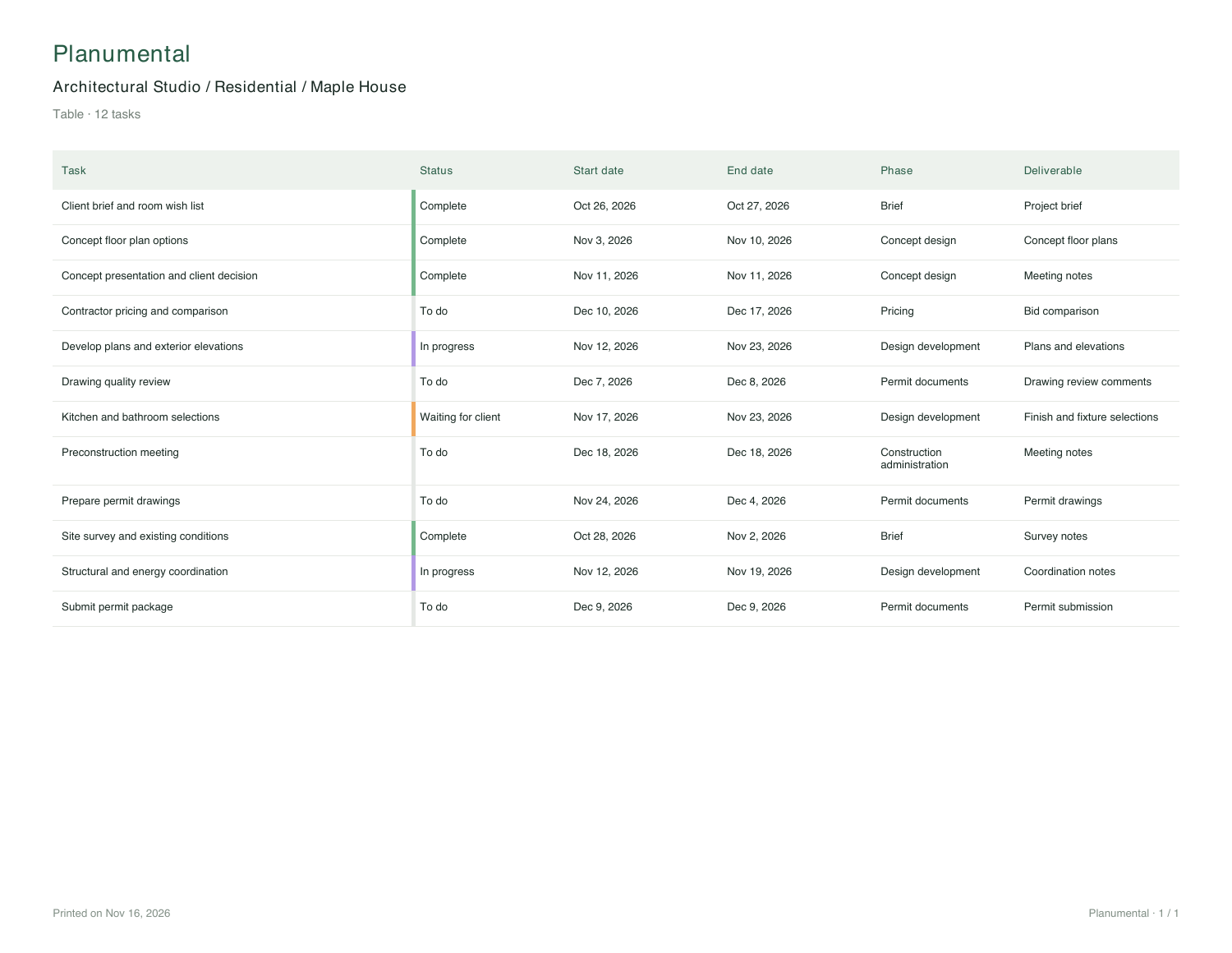
Export project views to PDF. Keep a copy, print it, or send it with the project.
Export List or Table data to Excel (.xlsx) to sort it, calculate with it, or use it in another report.
Plan in your browser, save on your computer, and keep working offline.
Set the direction, write your tasks, and shape your schedule. A straightforward workspace for your own ideas and decisions.
No subscription. No tiers. Timeline, Gantt, and the other views are all included, with no paid upgrades or usage quotas.
Open a project, edit a task, or switch views in the example workspace.
Edit the example projects as much as you like. Changes reset when you refresh.
Scroll sideways to explore.
Open Planumental.html to use the app. Your chosen work folder holds your saved project data and recovery copies.
Offline. On purpose.
Keep the app files together and open Planumental.html.
Choose a separate, empty folder for your new workspace and allow the browser to save there.
Add a Space and a Project, then start adding tasks. Check for “Saved to folder” before you close the app.
When you return, open Planumental and choose the same workspace folder to continue your work.
For your computer, using Chrome or Microsoft Edge.
Planning is already difficult enough. Comparing subscription tiers and wondering what costs extra shouldn’t be part of it. Planumental has no subscription to work out and no monthly bill to keep track of.
I’m a registered architect in NYC, working on schools. Managing multiple projects at once, each with hundreds of tasks, dependencies, deadlines, and different architectural teams, is part of my everyday work.
I used ClickUp for almost five years as a Verified Power User, in both team and solo setups. For convenience’s sake, I was going to keep it, but my Business plan went from $12 to $16 a month, a 33% increase. The upgrade bundled in AI, agents, CRM, image generation for some reason, and other features I never asked for or wasn’t allowed to use at work.
I even wrote to ClickUp asking for a simpler Business plan, without AI, at a lower price: the “project management” part of a “project management app.” I wanted to stay. But moving to a cheaper tier meant giving up the Timeline access I relied on every day.
I tried other tools too, like monday.com, Notion, Asana, and Zoho, but kept running into tiers, limits, team-size requirements, and packages that didn’t fit how I worked as an individual. Much of it seemed aimed at bigger teams.
I already know what I need, so I started making something for my own work: projects, tasks, dates, dependencies, and somewhere good to keep them.
This became Planumental.
I made it because I needed it, and I’m sharing it for free because other people might find it useful too.
I wanted the project management part to stay at the center.
Planumental focuses on organizing projects, tasks, dates, and dependencies. You write the tasks and make the decisions. The views help you work through the details and see how the schedule fits together.
There’s no AI assistant, subscription, or account. Your work saves to a folder you choose, and all six views are included.
Yes. Once the app and workspace files are available on your computer, you can plan and save offline.
Your work lives in the workspace folder you choose. That can be a local folder, a cloud-synced folder like OneDrive or Dropbox, or a folder on a local server like Synology. For offline use, keep a local copy of the app and workspace files available on your computer. Planumental works with the folder; your chosen service handles syncing.
Your data is saved in planumental.json, with recovery copies in a backups folder. Connect that folder before working, and check that the app says “Saved to folder” before closing.
For me, sensitive project information and my Outlook inbox aren’t things I want connected to an AI assistant.
What I always wanted was a choice: when I use AI, where it appears, and what I pay for.
When I open my planner, I want to write my tasks, arrange my projects, and work through my own ideas. I want useful scheduling tools, clear views, and room to think.
That’s the experience I wanted to make. You write the tasks and make the decisions; the planning tools help you organize them.
Yes. Planumental is free to use. There’s no subscription, no paid tier, and no extra charge to unlock its views.
I built it for my own work and wanted other people to benefit from it too. You don’t owe me anything for using it.
Yes. Bring the whole app folder and your saved workspace folder, including its JSON file and backups, to another computer. Open Planumental and choose that workspace folder.
Yes! Click on the Download button. The ZIP includes Planumental.html, the vendor folder for PDF and Excel exports, and guides for getting started, updating, and moving your work. Unzip it and keep the files together.
It opens as a blank planner, ready for your own projects. Your workspace JSON file and backups are saved in the work folder you choose.
Your projects. Your pace. Your computer.